YouTube adds prompt-based playlist curation
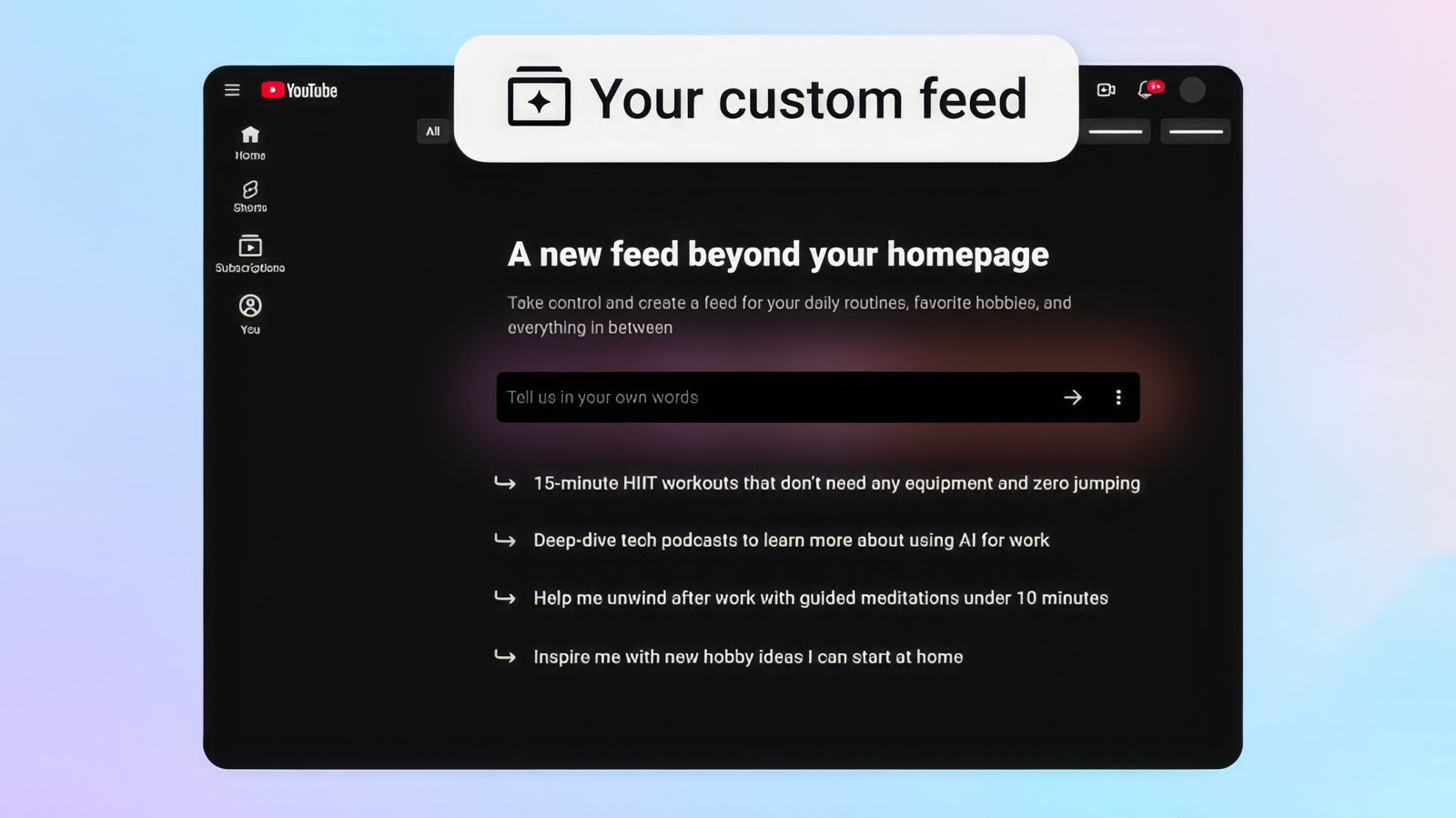
YouTube is rolling out a new feature called “Your custom feed” that lets users build personalized playlists by typing a prompt. The tool is designed to turn a plain-language request into a tailored video feed that can then be pinned to the top of a user’s homepage for quick return visits.
The feature marks another step in the broader spread of generative interfaces across consumer platforms. Instead of relying only on subscriptions, search queries, and algorithmic recommendations, YouTube is now asking users to describe what they want directly. In response, the service generates a playlist-like feed around interests, hobbies, or routines.
How the feature works
According to the source report, users can access the tool by tapping the “Your custom feed” chip at the top of the home page. They then enter a prompt describing the kind of content they want. Google’s example prompts include highly specific requests such as “15-minute HIIT workouts that don't need any equipment and zero jumping” and “deep-dive tech podcasts to learn more about using AI for work.”
Users can revise the prompt from the text box at the top of the feed, creating an updated version of the space without starting from scratch. The resulting custom feed can also be pinned, making it a persistent destination rather than a one-off search result.

A shift from recommendation to instruction
The significance of the tool is not that YouTube already recommends videos. It is that the platform is moving toward recommendation by instruction. In practice, that means users can ask for a content stream shaped around intent instead of waiting for the platform to infer that intent from behavior.
That could make YouTube more useful for routine-based or goal-based viewing, especially in areas like fitness, education, or long-form listening. The feature also creates a more direct bridge between conversational AI patterns and video discovery, an area where search and homepage recommendation have traditionally dominated.
Part of a wider platform trend
YouTube is not the first major platform to experiment with prompt-based curation. The report notes that Spotify released a Prompted Playlist tool for music and podcasts earlier in 2026. The parallel suggests that consumer media platforms increasingly see natural-language interfaces as a way to improve discovery and reduce friction.
That said, the YouTube rollout lands with some irony. The company had recently introduced a feature to detect and label AI-generated videos, and it is now applying AI to organize viewing itself. The two moves reflect the dual role AI is starting to play on media platforms: a source of content that needs governance, and a layer of tooling used to navigate overwhelming amounts of material.

Who gets it first
The feature is rolling out to signed-in viewers in the United States on mobile and desktop in English. There is also an important condition: users need to have YouTube search and watch history turned on in account settings. That requirement suggests the new tool still depends in part on historical user data, even when prompts provide the headline instruction.
For YouTube, the product logic is straightforward. Prompt-based feeds may increase engagement by helping users build repeatable viewing environments around niche needs. For users, the value will depend on whether the generated feeds feel genuinely precise rather than just a new wrapper around existing recommendations.
The next question is quality
The immediate test for “Your custom feed” is not whether it sounds futuristic. It is whether it produces consistently useful results. Prompt-based media tools can feel powerful when they interpret nuance well, but frustrating when they flatten requests into generic content pools.
Even so, the launch shows where YouTube is heading. The homepage is no longer just a place where the platform suggests what to watch next. It is becoming a place where users can ask for a viewing lane to be built for them.
This article is based on reporting by Engadget. Read the original article.

Originally published on engadget.com


