The Short Version: Cheap, Simple, and Modest
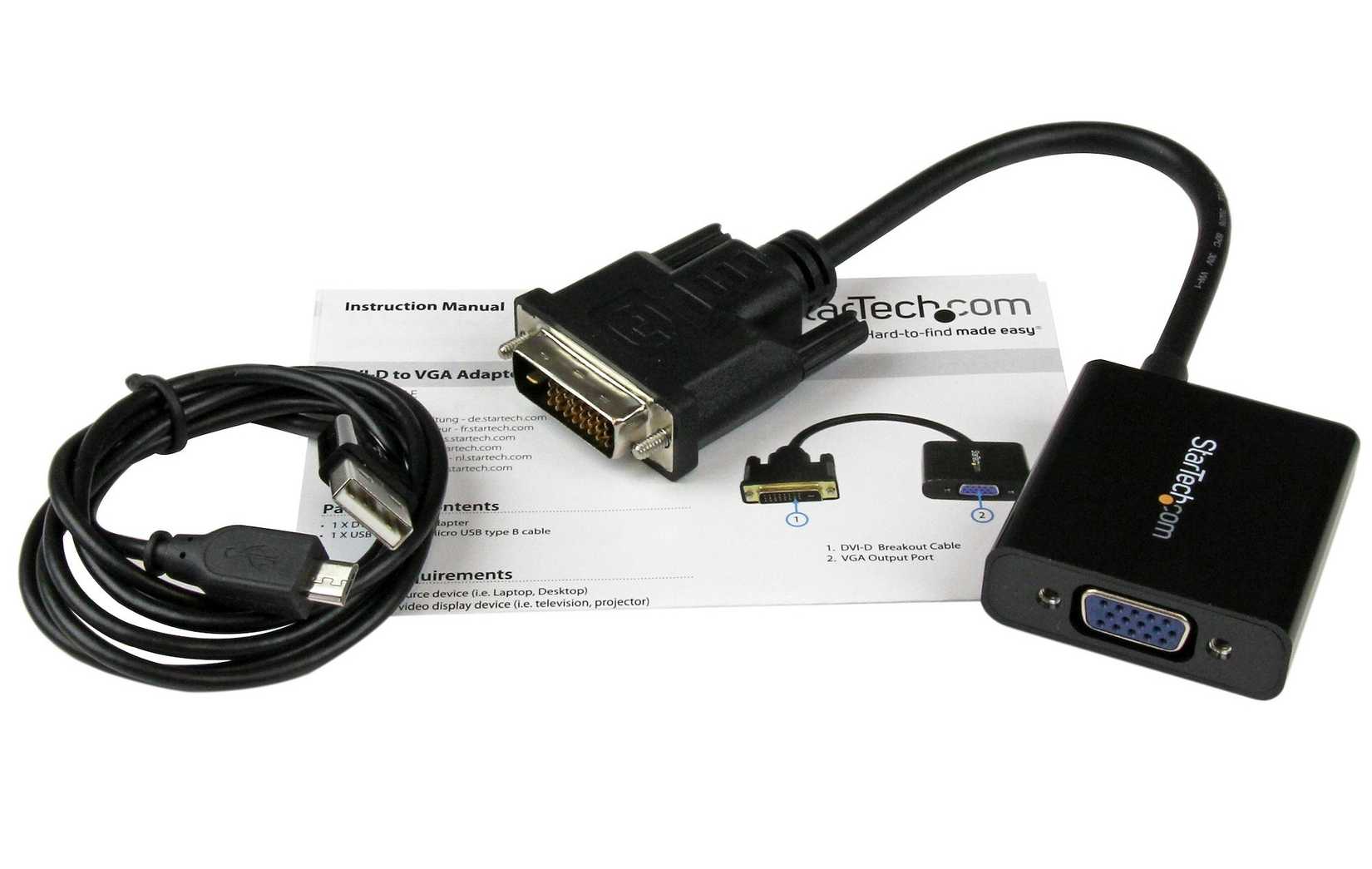
Most people assume that once a display standard is retired, everything built around it becomes landfill. That assumption is only partly true. The DVI port — the blocky, screw-fastened connector that once sat on graphics cards, monitors, projectors and set-top boxes — has largely vanished from new televisions, but it has not become useless. A small, inexpensive adapter is often the only thing standing between a working piece of older hardware and a modern screen.
That is the essential bargain of the DVI-to-HDMI adapter: a lot of convenience for very little money, paired with a firm ceiling on what you should expect from it. The widely repeated caveat is that you should not expect miracles. Understanding exactly where that ceiling sits is the difference between a five-minute fix and an afternoon of confused troubleshooting.
Why These Two Standards Get Along At All
DVI and HDMI were never rivals in the way that competing home video formats once were. They emerged in the same era from overlapping groups of engineers, and they share a common foundation: both carry digital video using the same underlying signaling approach. HDMI was effectively built on top of that base and then extended with additional capabilities, most notably audio and a broader set of consumer conveniences. That shared heritage is precisely why a passive adapter can bridge the two — no power supply, no conversion chip, no active electronics required.
In practical terms, the adapter is not translating anything. It is re-routing the same electrical signals into a differently shaped plug. What leaves the old device is, in most cases, what arrives at the new television.
The Analog Exception
There is one important wrinkle. DVI was produced in several variants. The digital-only versions carry digital video pins; the integrated versions added analog pins so the same port could also drive older analog displays, typically through a separate adapter. A plain DVI-to-HDMI adapter only cares about the digital portion of the connector. If the port you are trying to use is analog-only, an HDMI adapter is the wrong tool regardless of how little it costs.

What the Adapter Does Not Do
The phrase that matters most in any honest description of this setup is the warning about miracles. The adapter solves a physical mismatch between two plug shapes. It does not upgrade the source, and it does not add capabilities the source never had.
Audio Usually Stops at the Video
DVI was designed as a video interface. Audio is not part of its standard job description. Some devices quietly support audio over DVI as an unofficial extension, but that is not something you can build a plan around, because support varies from one piece of hardware to the next. If your goal is to get sound to the television, assume you will need a separate path — an analog connection, an optical link, or the television's own inputs.
Resolution and Refresh Rate Are Inherited, Not Improved
The television at the far end of the chain may be capable of far more than the old device can produce. An adapter does not change that relationship. What you get is whatever the source can output, passed through unchanged. Older hardware may also be limited in refresh rate, color handling, or the resolutions it offers over its DVI port, and those limits travel with the signal all the way to the panel. A modern screen will simply display the older signal, not magically enrich it.
Handshakes and Content Protection
Digital links depend on the two ends agreeing on what they are doing before any picture appears. When that negotiation fails — because a device is old, because a cable is marginal, or because content protection requirements are not satisfied on one side — the result is a black screen, a flickering image, or an "unsupported signal" message. These failures are not really caused by the adapter. They surface because the adapter has become the newest link in a chain of older parts.
A Practical Checklist Before You Buy
- Confirm that the port on your older device is digital. If it is an analog-only variant, this adapter will not help you.
- Decide in advance how audio will travel. Do not assume it can ride along with the video.
- Keep the cable run reasonable. Long, thin, or worn cables make an already marginal link noticeably worse.
- Test the source on a display you already know works, if possible, so you can tell whether a problem belongs to the device or to the connection.
- Expect to adjust settings. Sometimes the picture only appears once the source is set to a resolution both ends accept.
- Treat the adapter as a bridge, not a repair. It connects two things; it does not fix or enhance either.

Who Gets the Most Out of One
The people who benefit most are those who already own hardware that works fine and simply needs a way to reach a newer screen. An aging desktop with a DVI output, a projector being pressed back into service, or a secondary monitor repurposed as a small television are all natural candidates. In those situations the adapter is a remarkably efficient solution: a tiny purchase that extends the useful life of equipment that would otherwise be replaced for no reason other than a plug shape.
The people who benefit least are those hoping to modernize a device's capabilities. If the goal is higher resolution, smoother motion, or sound carried over the same cable, the adapter will not deliver it, because it was never designed to.
The Bottom Line
The DVI-to-HDMI adapter endures because it respects a simple engineering truth: sometimes the cheapest solution is the one that does nothing at all except make two things fit. It offers no processing, no upscaling, no enhancement, and no clever conversion. It just moves a digital video signal from one plug to another, and for a great many older devices that is exactly enough.
The trade-off is transparency. Every limitation of the source hardware — its resolutions, its refresh behavior, its silence on audio — comes along for the ride. That is the miracle you should not expect, and the reason these modest adapters keep earning a place in drawers, toolkits and living rooms long after the port they serve has disappeared from store shelves.
This article is based on reporting by Engadget. Read the original article.

Originally published on engadget.com