Why a new Apple Watch can feel unchanged on day one
Anyone moving from an older Apple Watch to a Series 12 or an Ultra 4 is likely to notice something unexpected during the first days of ownership: very little feels different. The new hardware arrives with upgraded performance and new health sensing features, yet the everyday loop of raising a wrist to check a notification, closing a ring, or glancing at the time lands in almost the same place it did on the previous generation. That gap between what the hardware promises and what an owner actually feels in hour one is the central puzzle of any mature product line, and it shapes how people should approach their first weeks with the device.
Familiarity, however, is not the same thing as stagnation. Improvements in this category tend to surface gradually — when the watch is pushed harder than usual, when it is depended on for data that matters, when it stays on the wrist overnight and through long training blocks. Getting the most out of an upgrade therefore becomes a question of habits rather than a question of hardware. The watch does not announce what it can do; owners have to build routines that give it the chance to show up.
Set the watch up with intention rather than defaults
The easiest way to make a new Apple Watch feel like the old one is to accept every default during setup and never revisit it. A more deliberate approach starts with the phone, where notification behavior, app installation, and complication choices are decided. A watch that buzzes for every email, social alert, and promotional push trains its owner to ignore it, which in turn makes the device feel disposable. Narrowing alerts to the handful of people and apps that genuinely warrant a wrist tap changes the relationship immediately.
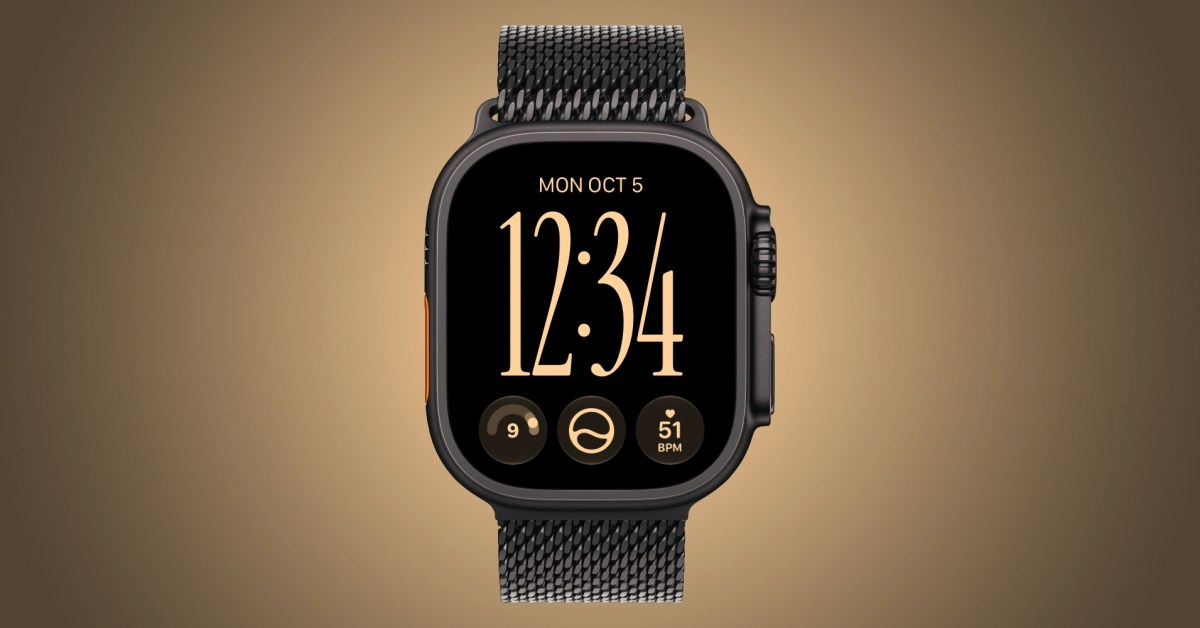
From there, the home screen, complications, and watch faces are worth rebuilding rather than cloning. A face that surfaces the information a person actually checks — weather, calendar, activity, timers — removes the need to open apps at all, and it is the clearest way to demonstrate that new hardware is genuinely new. The same logic applies to the dock and to app layout: a small, curated set of tools beats a sprawling grid every time.
- Prune notifications down to the contacts and apps that deserve a wrist buzz.
- Rebuild watch faces around the two or three data points checked most often.
- Reorganize the app view so frequently used tools are one tap away.
- Review which apps installed themselves automatically and remove the rest.
- Revisit settings after a week, once real usage patterns are clear.
Treat health sensing as a long-term habit, not a spec
New health sensing capabilities are among the headline reasons to move to the Series 12 or Ultra 4, but sensors reward consistency far more than enthusiasm. A single reading tells an owner almost nothing. Trends built from weeks of comparable data — same time of day, similar conditions, the watch worn the same way on the wrist — are where the value lives. That means wearing the device overnight, keeping it charged on a predictable schedule, and resisting the urge to compare one morning's number against another taken under completely different circumstances.
It also means treating the watch as a prompt rather than a verdict. Health features are designed to surface signals worth discussing with a clinician, not to replace one. Owners who keep that framing tend to get more from the data: they notice changes earlier, they bring better questions to appointments, and they avoid the anxiety that comes from over-reading a single measurement. The upgrade only pays off if the device is worn often enough to establish what normal looks like for that individual.
Performance becomes visible only under pressure
Upgraded performance is the hardest improvement to appreciate, because it is invisible in light use. A watch that opens an app a fraction of a second faster than the previous model does not feel faster on a calm day; it feels faster when several things happen at once. Navigation running during a workout, music or a podcast playing, a timer counting down, and a message arriving together is the kind of load that separates generations. Owners who want evidence of the upgrade should stress the watch deliberately — longer training sessions, mapping on the move, third-party apps doing real work — rather than judging it on the lock screen.
The same principle applies to responsiveness over time. Devices in this category tend to feel best when they are not overloaded with background tasks, so keeping installed apps lean and closing out things that are no longer used helps sustain the performance advantage the new hardware provides.

Choose between Series 12 and Ultra 4 based on actual use
The two models are often compared as if one is simply better, but the more useful question is which one matches a person's daily reality. Owners who want a general-purpose smartwatch for notifications, fitness tracking, and health monitoring across a normal week are the natural audience for the Series 12. Those who spend significant time outdoors, on long efforts, or in conditions that demand more from a device are the ones for whom the Ultra 4's positioning matters most.
Prospective buyers should be honest about which category they fall into. Choosing the larger, more rugged option because it looks capable, then discovering it is more watch than the routine requires, is one of the most common sources of upgrade regret. Likewise, someone who regularly pushes into demanding environments may find that the standard model's strengths do not cover what they actually do.
Make charging and battery part of the routine
Battery habits determine whether health sensing and overnight tracking are possible at all. Folding a short top-up charge into an existing daily ritual — while showering, while reading, while sitting at a desk — keeps the watch available for sleep tracking and for the morning routine. Owners who wait until the battery is nearly empty end up choosing between wearing the watch and charging it, and the health features they paid for lose the continuity that makes them useful.

The long view on upgrading
An Apple Watch upgrade is rarely dramatic on the day it arrives. It is judged months later, when the device has been worn through enough mornings, workouts, and restless nights to build a picture that the old model could not. The hardware provides upgraded performance and new health sensing; the owner provides the consistency that turns those capabilities into something felt. Treated as a set of tools to be configured and used deliberately, the Series 12 and Ultra 4 can justify the move — but only for people willing to put in the first week of setup work that the box itself will never do.
This article is based on reporting by 9to5Mac. Read the original article.
Originally published on 9to5mac.com