The Smart Home's Interoperability Problem
Modern homes are filling up with connected gadgets: smart bulbs, thermostats, security cameras, door locks, and voice assistants. Each one promises convenience, but they often come from different manufacturers and speak different languages. A light bulb might use one wireless protocol while a thermostat uses another. The result is a patchwork of apps and ecosystems that don't naturally cooperate. You end up juggling multiple apps just to turn off the lights. This fragmentation is the central frustration of the smart home era, and it's exactly where an old laptop can help.
Why an Old Laptop Makes Sense as a Hub
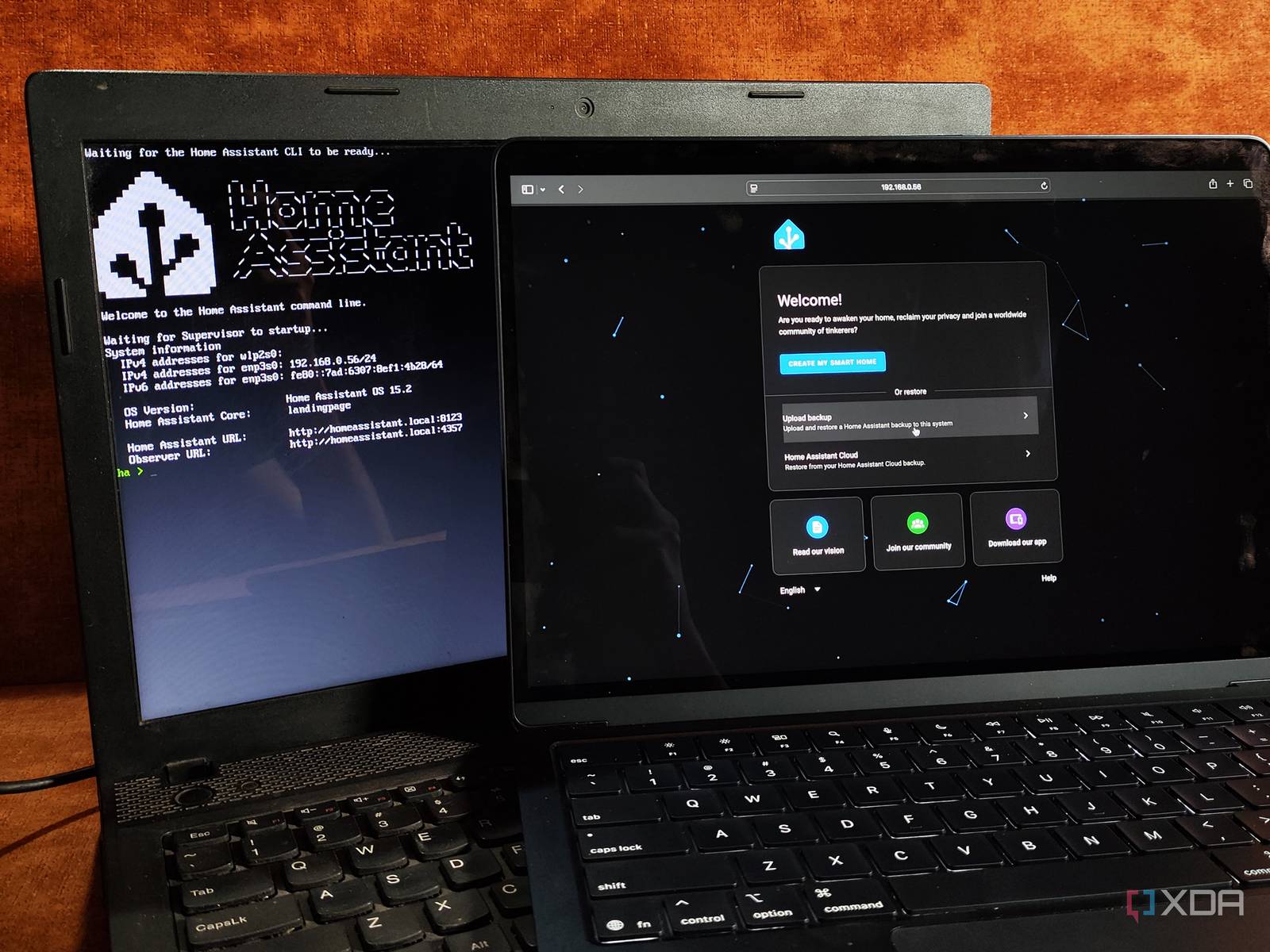
According to a recent report, an old netbook can be repurposed to automate the devices that otherwise aren't interested in talking to one another. The idea is simple: instead of buying a dedicated hub or subscribing to a cloud service, you can use hardware you already own. An old laptop—even a modest netbook—has a processor, memory, storage, and network connectivity. It can run continuously, consuming relatively little power, and act as a central command center. It becomes the translator and conductor for your smart home orchestra.

What a Hub Actually Does
A smart home hub is the brain of your connected ecosystem. It communicates with your devices, regardless of their brand or wireless standard, and allows them to work together. It can run automations: when you unlock the front door, the hallway lights turn on; when the temperature drops, the thermostat adjusts. Without a hub, these cross-device routines are difficult or impossible. With a hub, you gain a single point of control and a platform for logic that ties everything together.
Using an old laptop for this role means you can install software that speaks multiple protocols. The laptop becomes the bridge. It can listen for signals from one device and translate them into commands another device understands. This is the key to automating devices that otherwise aren't interested in talking to one another.
Benefits of Repurposing Instead of Buying New
- Cost savings: You avoid purchasing a dedicated hub, which can cost anywhere from $50 to several hundred dollars. An old laptop is already paid for.
- Reduced e-waste: Extending the life of a working computer keeps it out of landfills and reduces the demand for new hardware.
- Flexibility and power: A laptop is more powerful than most dedicated hubs. It can run more complex automations, handle multiple protocols simultaneously, and store logs locally.
- Privacy and control: Keeping automation local means your data doesn't have to travel to a corporate cloud. You own the hub and the data it processes.

Considerations Before You Start
Turning an old laptop into a full-time hub isn't entirely plug-and-play. You'll want to think about a few practical points. First, the laptop needs to stay on and connected to your network. That means finding a permanent spot for it, perhaps near your router, and ensuring it doesn't overheat or get accidentally unplugged. Second, power consumption matters. A netbook typically sips electricity, but an older full-size laptop might draw more. You can often adjust power settings to reduce energy use.
Security is another consideration. Any device connected to your network is a potential entry point for attackers. You should keep the operating system and hub software updated, use strong passwords, and isolate the hub on a separate network if possible. Finally, maintenance: you'll need to manage updates, backups, and occasional troubleshooting. But for many enthusiasts, that's a small price for the flexibility and independence a self-hosted hub provides.
The Bigger Picture: A More Resilient Smart Home
The smart home industry often pushes consumers toward closed ecosystems and subscription services. Repurposing an old laptop flips that model. It puts you in charge, allowing you to mix devices from any brand and create automations that suit your life. It also makes your setup more resilient: if a manufacturer discontinues support for a device, your hub can still control it as long as the local protocol works.
This approach aligns with a broader trend of right-to-repair and sustainable technology. Instead of tossing a working computer, you give it a new purpose. It's a small act of resistance against planned obsolescence, and it happens to make your home smarter in the process.

Getting Started
If you have an old netbook or laptop gathering dust, consider its potential. You don't need the latest hardware to run a smart home hub; you need reliability and a bit of patience. Research the software options available for your operating system, check community forums for guides, and start with a few devices. As you grow comfortable, you can expand your automations and integrate more of your home.
The devices in your home may never learn to speak the same language on their own, but with an old laptop acting as interpreter, they don't have to. You can finally make them work together—on your terms, without buying yet another gadget.
This article is based on reporting by Engadget. Read the original article.
Originally published on engadget.com